Download the Latest APFS Data Recovery Software
Stellar Data Recovery – Professional supports recovery of deleted and formatted files from an APFS Hard Drive, USB, SSD and External Drives. It’s compatible with Big Sur 11
-
- Compatible with APFS, HFS, HFS+, ex-FAT, FAT and NTFS
- Creates a recovery drive for crashed Mac recovery
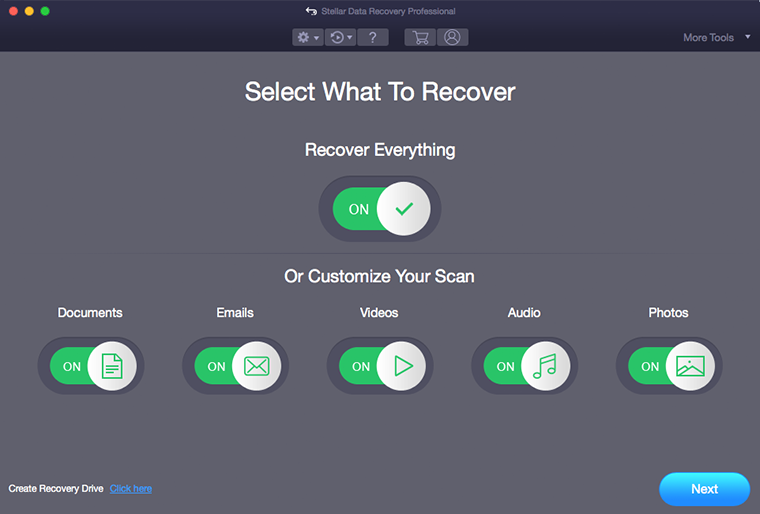
- Toggle ON to select or unselect data types for recovery
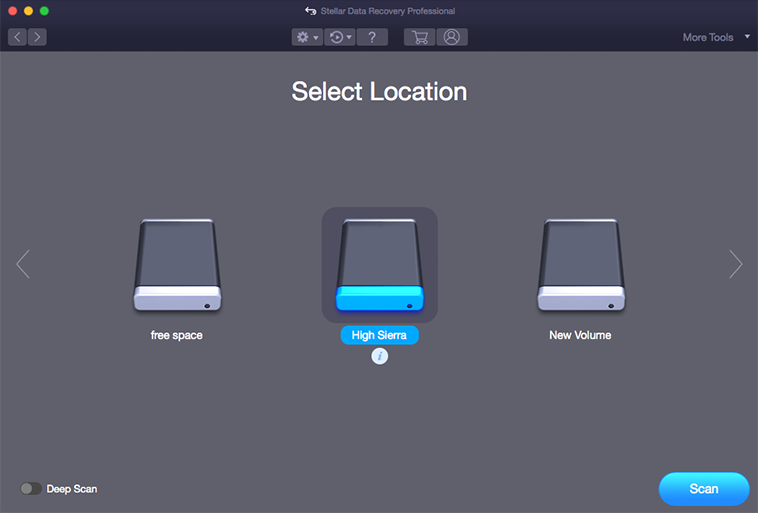
- Easy to choose APFS hard drive for data recovery
- Provides Steps to Disable SIP for APFS start-up drive recovery
- Availability of detailed information of the scan progress
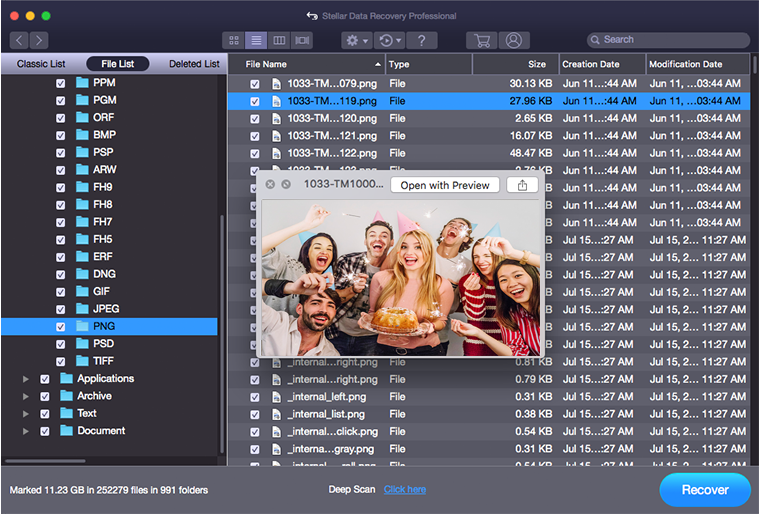
- Previews photos, videos, documents, emails and audio
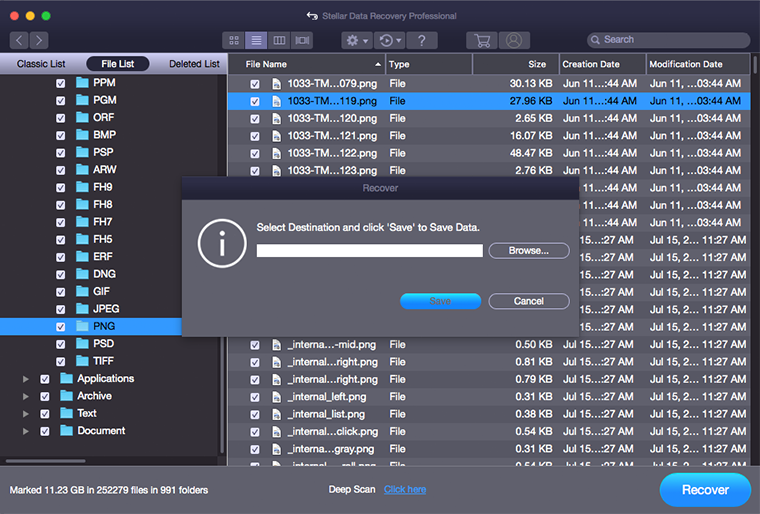
- Comfortably saves recovered data to any suitable destination
*Free download to scan and preview your lost or deleted data.

Specification
Version: 12.6.0.0
Operating System: macOS Tahoe 26, Sequoia 15, Sonoma 14, Ventura, Monterey, Big Sur, Catalina 10.15, 10.14 & 10.13
Memory: 4 GB minimum (8 GB recommended)
Hard Disk: 250 MB for installation files
When to use APFS Data Recovery Tool?
- When data is lost due to failed macOS upgrade
- When data is permanently deleted from hard drive
- When data is emptied from trash
- When no backup exists, and data recovery is mandatory
- When Mac partition becomes unmounted or unrecognized
- When backup folder is lost/deleted from Time Machine
- When files get deleted from an encrypted storage device
- When partition or a volume is deleted from Mac hard drive
- When data from external hard drive is lost or deleted
Watch Video of APFS Data Recovery on Macintosh HD
Stellar Data Recovery – Professional Screenshots
#1. Launch the Software & Select file types for data recovery
#2. Choose your APFS hard drive for data recovery
#3 Start the scan on your APFS hard drive
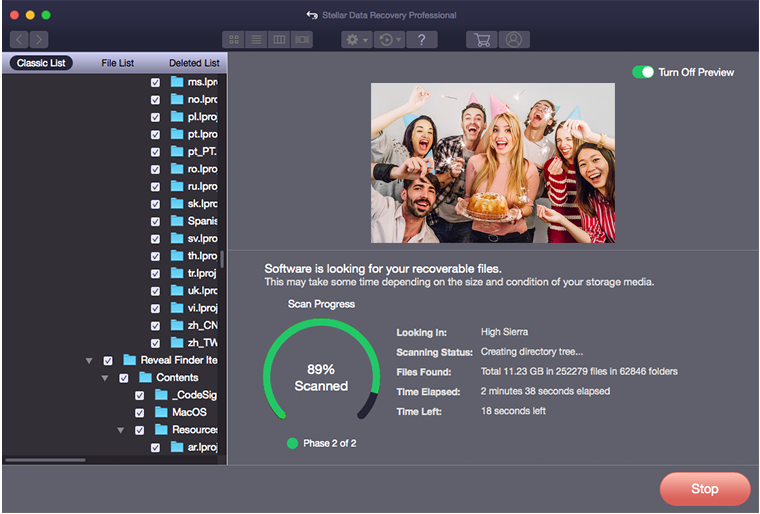
#4 Preview the files
#5 Save the files
*Free download to scan and preview your lost or deleted data.